Top 5 Next.js 10 New Features
Next.js 10 shipped with a lot of announcements. Here is what actually matters - ranked by how much it changes how you build - and what you can safely ignore until v11.
Last week Vercel shipped Next.js 10 during the first annual Next.js Conference - 70k enrollments, 34k live attendees, and a pile of announcements. The features that got the most stage time aren't necessarily the ones that will change how you build. This post ranks the top 5 by practical impact: what you should use today, what you should evaluate, and what's noise until the ecosystem catches up.
1. Built-in Image Component and Automatic Optimization
This is the feature from this release that will change the most code you write. Images account for roughly 50% of page weight on the typical content site, and most teams handle them badly - no sizing, no lazy loading, no format negotiation. Next.js's next/image component fixes all of that with a single import.
import Image from "next/image";

<Image src='/images/image.jpg' width='800' height='600' alt='Hero Image' />;
Properties width and height enforce initial dimensions and prevent layout shift - the CLS (Cumulative Layout Shift) metric that Google uses for ranking. Images are automatically responsive, lazy-loaded by default, and served in WebP when the browser supports it (roughly 30% smaller than JPEG).
Crucially, image optimisation happens on-demand, not at build time. This means you don't pay the optimisation cost for images that are never requested - a meaningful difference from SSG tools that optimise everything upfront.
For details: next/image documentation.
Why it's #1: It directly improves Core Web Vitals with a drop-in replacement for <img>. No build pipeline changes, no CDN reconfiguration. This is the feature you should add to every project this week.
2. Internationalized Routing
Internationalization is one of those features that is either completely irrelevant (single-language site) or absolutely critical (multi-language site). With v10, Next.js handles it natively without plugins.
Let's see how can we add this support, starting by editing next.config.js:
module.exports = {
  // other configurations
  i18n: {
    locales: ["en", "pt"],
    defaultLocale: "en",
  },
};
After, you choose your strategy:
SubPath routing
You add the locale in the URL, using the same domain. For example, you can insert the locale in the URL like /en/mysite or /pt/mysite.
Domain routing
Allows you to map a locale to a domain. This means that you can, for example, map 'en' for english-site.en and portuguese-site.com mapped to the 'pt' locale.
For it, you should add the following also to your next.config.js:
module.exports = {
  // other configurations
  i18n: {
    locales: ["en", "pt"],
    defaultLocale: "en",
    domains: [
      {
        domain: "english-site.en",
        defaultLocale: "en",
      },
      {
        domain: "portuguese-site.com",
        defaultLocale: "pt",
      },
    ],
  },
};
Just worth mentioning that Next.js 10 has built-in language detection on '/' route based on the Accept-Language header. The configured locales are matched against it and redirect according to the configured strategy.
Why it's #2: If you need i18n, this removes an entire class of third-party dependencies and configuration bugs. If you don't need it, this feature doesn't affect you at all - which is precisely how framework features should work.
3. Next.js Analytics
Next.js 10 Analytics has zero-configuration required. Projects with previous versions have to upgrade.
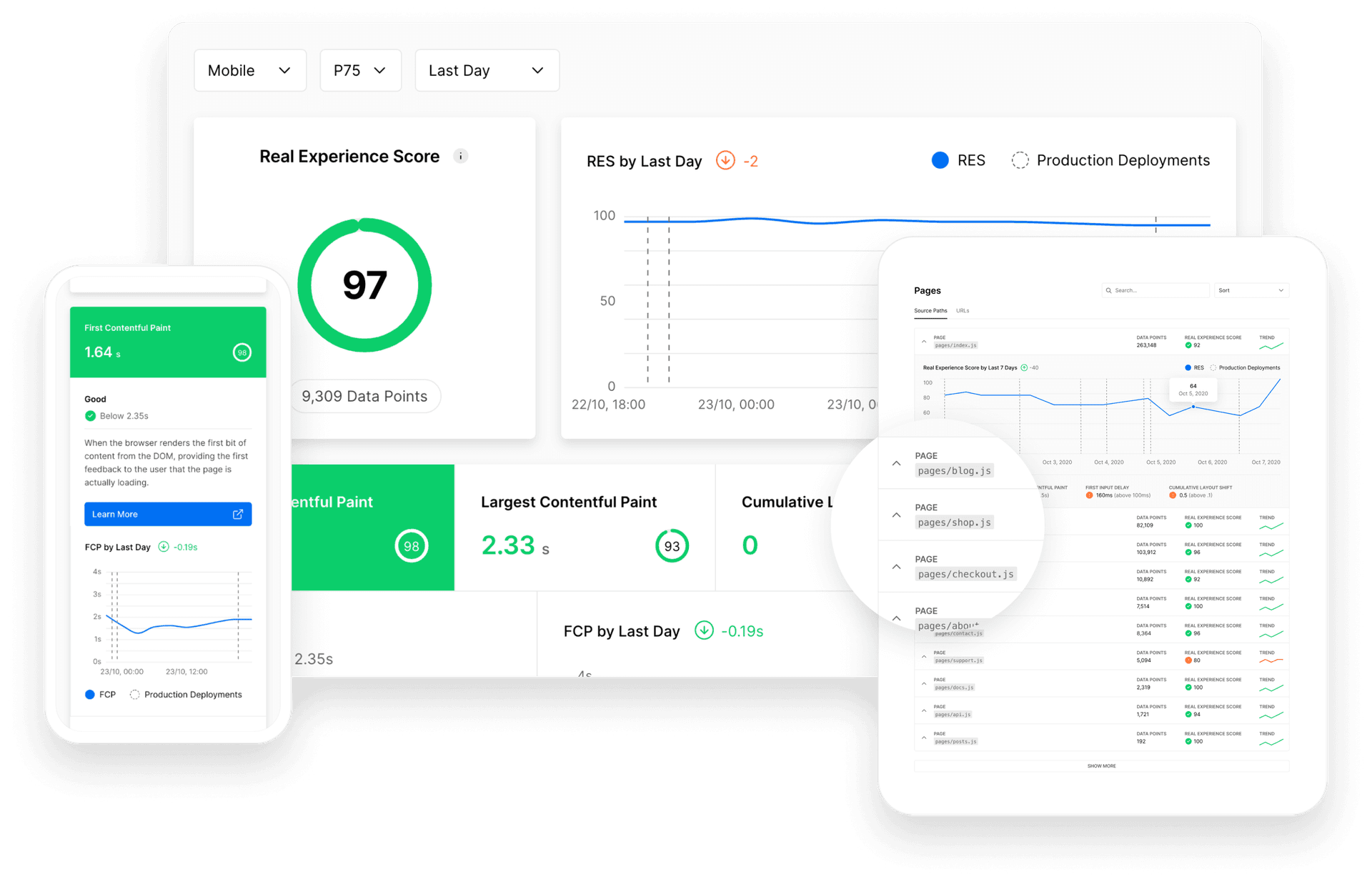
Now you can track and measure real-time performance metrics. It allows you to understand your users and how you site or application performs. For more information, checkout the documentation.
Why it's #3: Useful if you're on Vercel's platform and care about Real User Monitoring (RUM). Less relevant if you self-host or use another deployment target. Worth enabling but not a reason to switch platforms.
4. Next.js Commerce
Everyone is aware of Ecommerce and its growing importance these days.
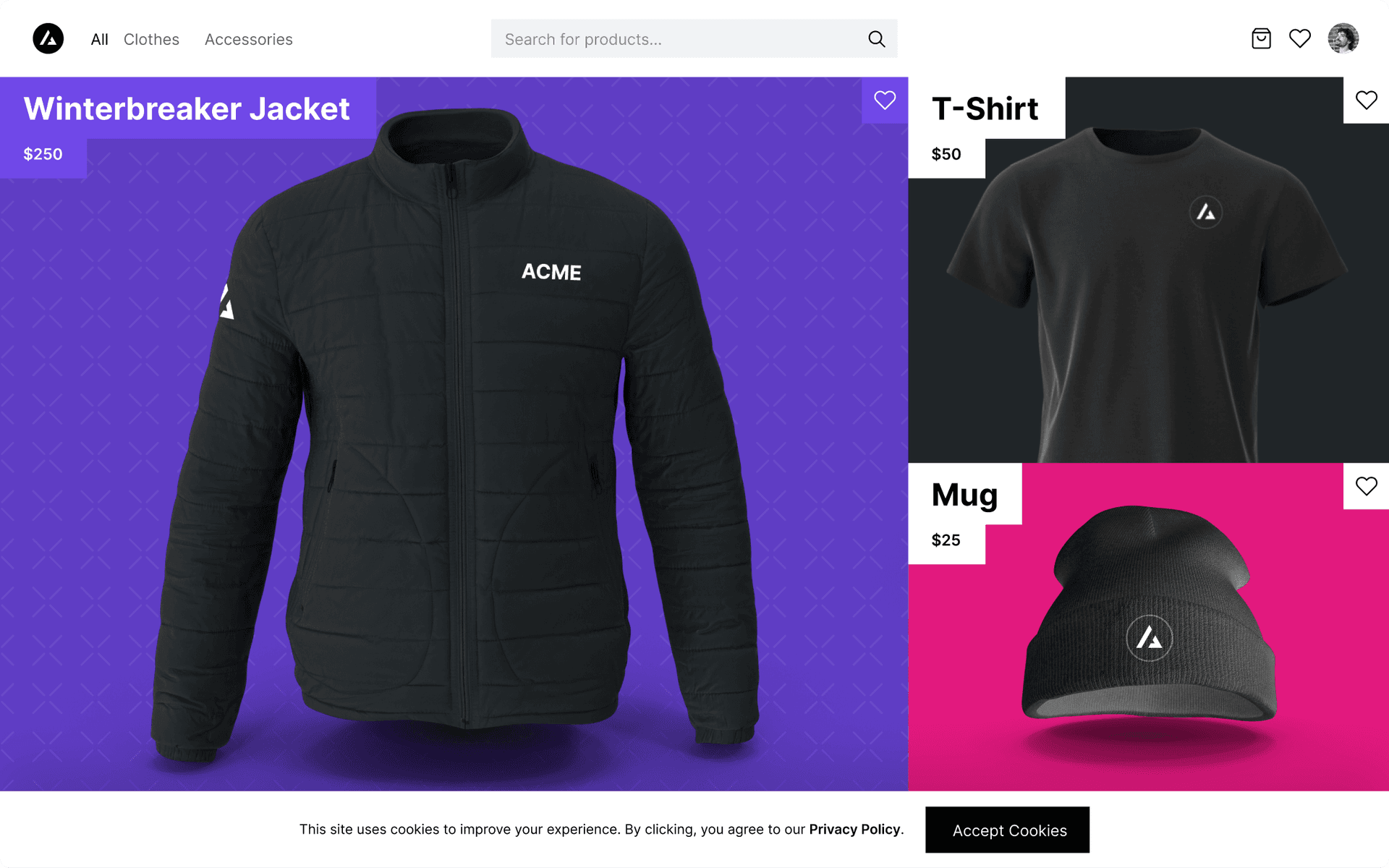
In collaboration with BigCommerce, Next.js released the all-in-one starter kit for eCommerce sites, Next.js Commerce. With a few steps, you can clone, customize and deploy a full-blown eCommerce site. Check it out here.
Why it's #4: A useful starter kit if you're building an ecommerce site on BigCommerce. But it's a template, not a framework feature - you likely know whether you need it. If you're not building a store, this is noise.
5. React 17 Support
Despite there are no breaking changes for Next.js with React 17, there are a couple of maintenance changes worth mentioning, like peer dependencies updates and new JSX transform enabled by default, no configuration changes needed. Just upgrade Next.js and React:
npm install next@latest react@latest react-dom@latestor
yarn add next@latest react@latest react-dom@latestWhy it's #5: This is a maintenance bump, not a feature. React 17's main improvement - gradual upgrade paths - doesn't apply when you're on a framework that requires a specific React version anyway. Upgrade when you upgrade Next.js, don't go out of your way.
Honest Take
A conference release is a marketing event, and not every feature needs to change your workflow. The honest breakdown:
- Use today:
next/image. Drop-in replacement, immediate perf gains, no downside. - Evaluate: i18n routing. Great if you need it, but verify it covers your locale strategy before migrating from your current solution.
- Nice to have: Analytics (Vercel-only), Commerce (BigCommerce-only). Not general-purpose.
- Just upgrade: React 17 support. Take it as part of the version bump, don't make it a decision.
The pattern I'd watch for: Vercel is increasingly tying features to its platform (Analytics, Image Optimization CDN). If you self-host, some of these features will work differently or not at all. That's a tradeoff to name, not a problem - but know it going in.
What to Do Next
If you're on Next.js 9.x: upgrade to 10, swap your <img> tags for next/image, and decide on i18n only if you have a multi-language requirement. The other features will be there when you need them.
Written by Nuno Alves, who is also reachable by email.